What Is “Lifting State Up” in React?
As we know, every component in React has its own state. Because of this sometimes data can be redundant and inconsistent. So, by Lifting up the state we make the state of the parent component as a single source of truth and pass the data of the parent in its children.
Time to use Lift up the State: If the data in “parent and children components” or in “cousin components” is Not in Sync.
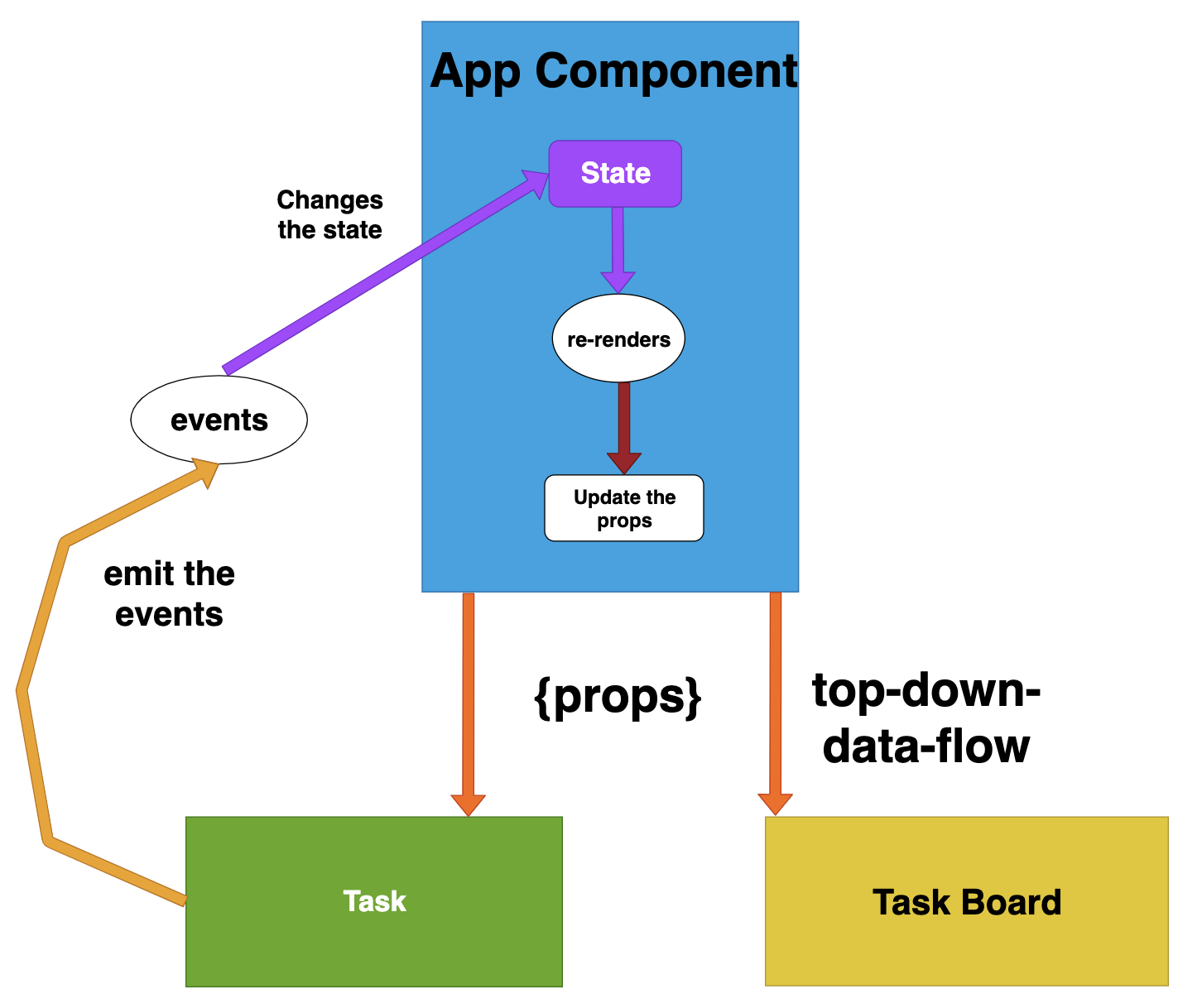
Often, several components need to reflect the same changing data. We recommend lifting the shared state up to their closest common ancestor. Let’s see how this works in action
Example
We have a App component containing PlayerContent and PlayerDetails component. PlayerContent shows the player name buttons. PlayerDetails shows the details of the in one line.
The app component contains the state for both the component. The selected player is shown once we click on the one of the player button.
**App.js import React from ‘react’; import PlayerContent from ‘./PlayerContent’; import PlayerDetails from ‘./PlayerDetails’; import ‘./App.css’; class App extends React.Component { constructor(props) { super(props); this.state = { selectedPlayer:[0,0], playerName: ‘’}; this.updateSelectedPlayer = this.updateSelectedPlayer.bind(this); } updateSelectedPlayer(id, name) { var arr = [0, 0, 0, 0]; arr[id] = 1; this.setState({ playerName: name, selectedPlayer: arr }); } render () { return ( <div> <PlayerContent active={this.state.selectedPlayer[0]} clickHandler={this.updateSelectedPlayer} id={0} name=”David”/> <PlayerContent active={this.state.selectedPlayer[1]} clickHandler={this.updateSelectedPlayer} id={1} name=”Steve”/> <PlayerDetails name={this.state.playerName}/> </div> ); } } export default App; PlayerContent.js import React , { Component} from ‘react’; class PlayerContent extends Component { render () { return ( <button onClick={() => {this.props.clickHandler(this.props.id, this.props.name)}} style=>{this.props.name} </button> ); } } export default PlayerContent; PlayerDetails.js import React, { Component } from ‘react’; class PlayerDetails extends Component { render () { return ( <div>{this.props.name} </div> ); } } export default PlayerDetails;